
How to Rehydrate Old Logs in Datadog
Introduction
Our Datadog logs recently had their retention policy changed from 14 days to 7 days, meaning you may more likely encounter situations in which the logs are no longer accessible for a query you’d like to search. To combat this, you can rehydrate the logs from our archives via the following outlined steps.
How to rehydrate logs
-
First, check if the logs are still accessible via the normal Log Explorer
-
If not, browse to the “Rehydrate from Archives” section of the “Logs” tab
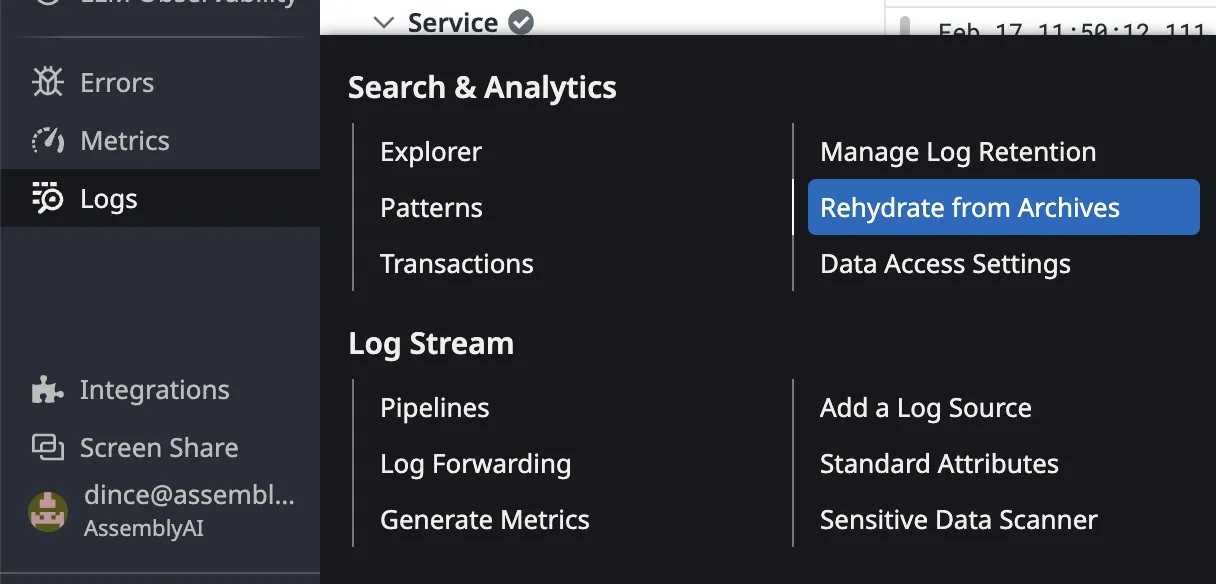
- Click the “New Historical View” button in the top-right corner of the page to create your log rehydration view.
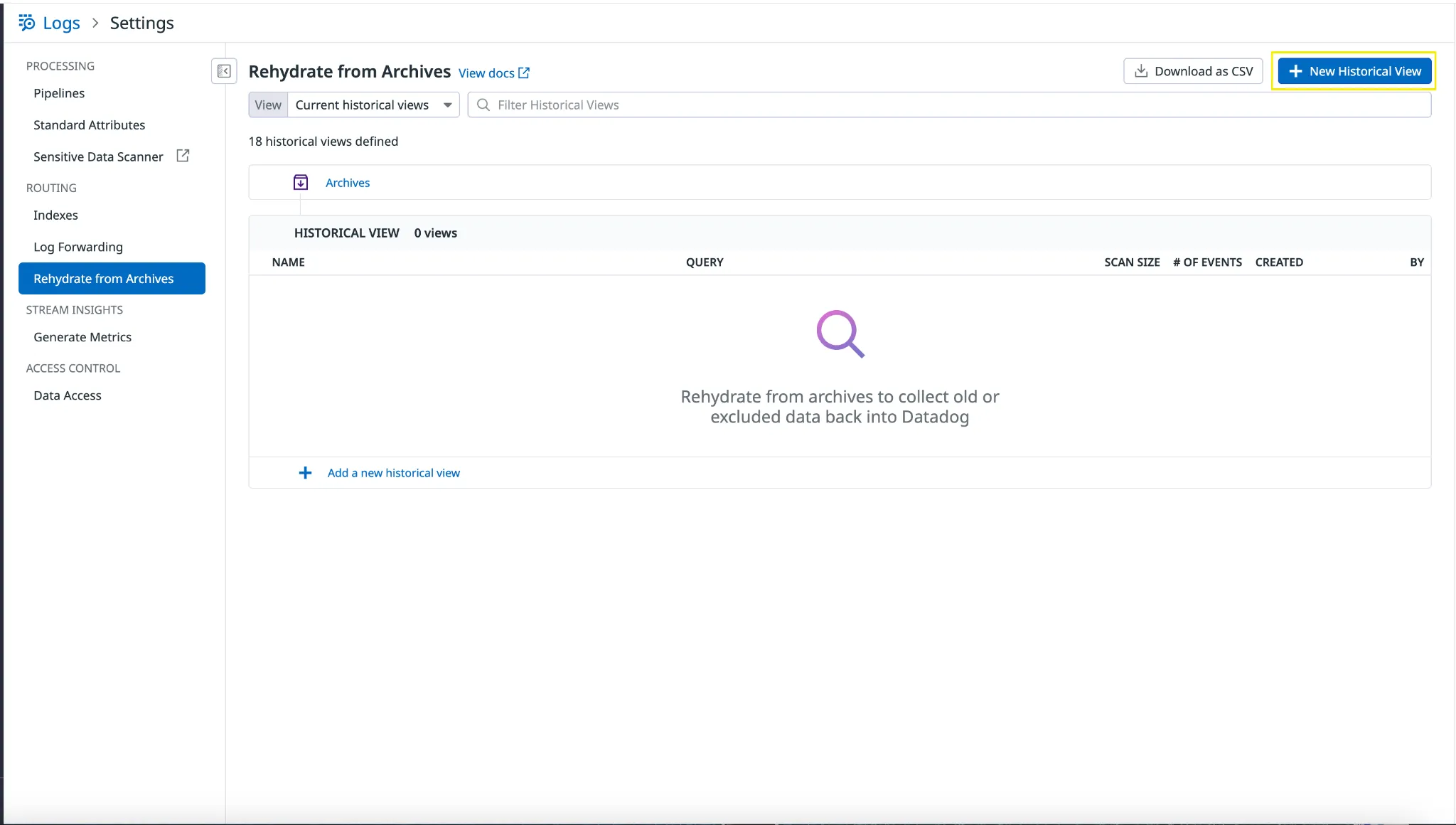
- Select a suitable time period of the log rehydration (you should have this in mind beforehand, or get a suitable time period from the customer) and be sure to select the production-logs-archive for the “Select archive” section.
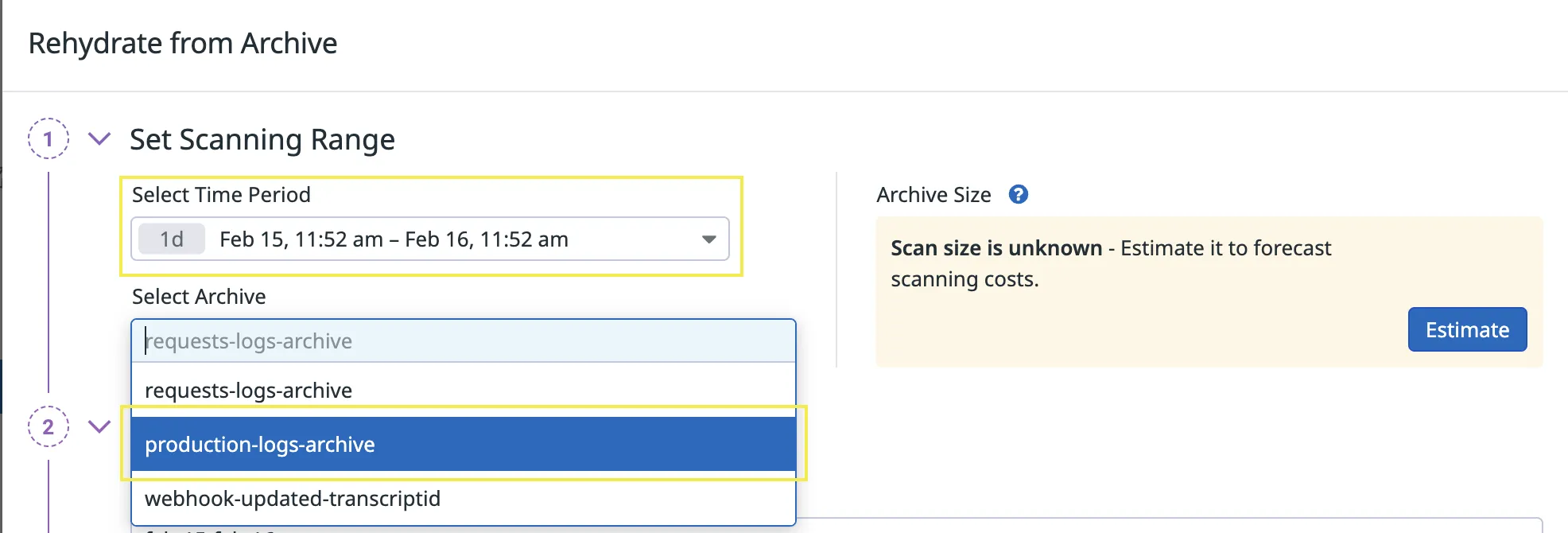
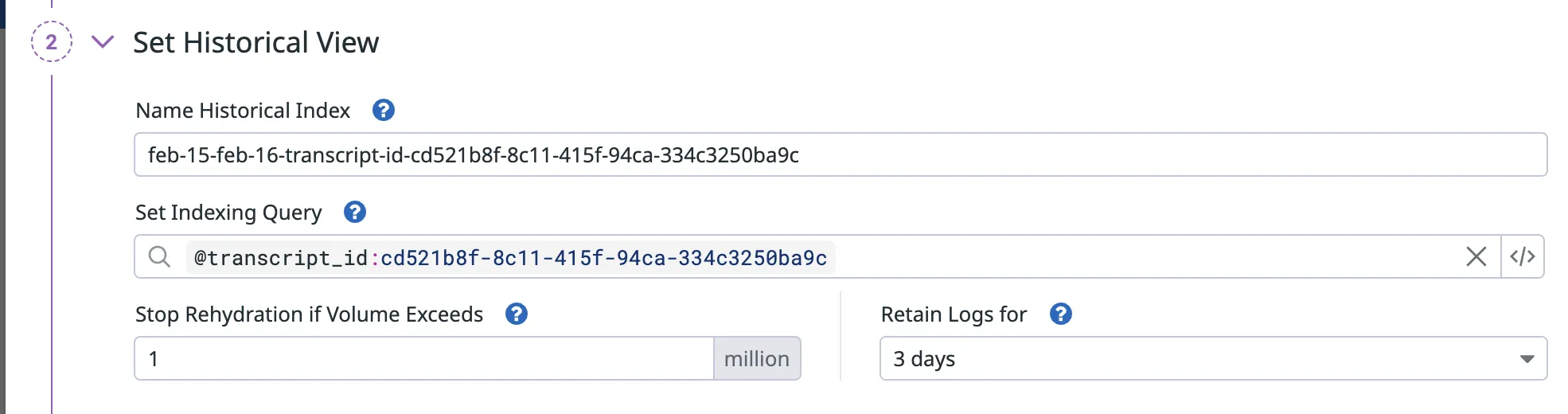
- In the “Set historical view” section, insert your log query into the “Set indexing query” field as shown below. Also, it’s recommended to edit the “Stop rehydration if volume exceeds” field to a lower number such as 10 million, as a safety guard for costs.
Here’s a few good/bad examples of how you might set this up:
This query is good as it filters by a specific transcript ID tag, meaning only the information you need will be retrieved which reduces costs. It also has a low rehydration limit which is suitable as we expect a low number of logs will be returned for this query since it is so specific.
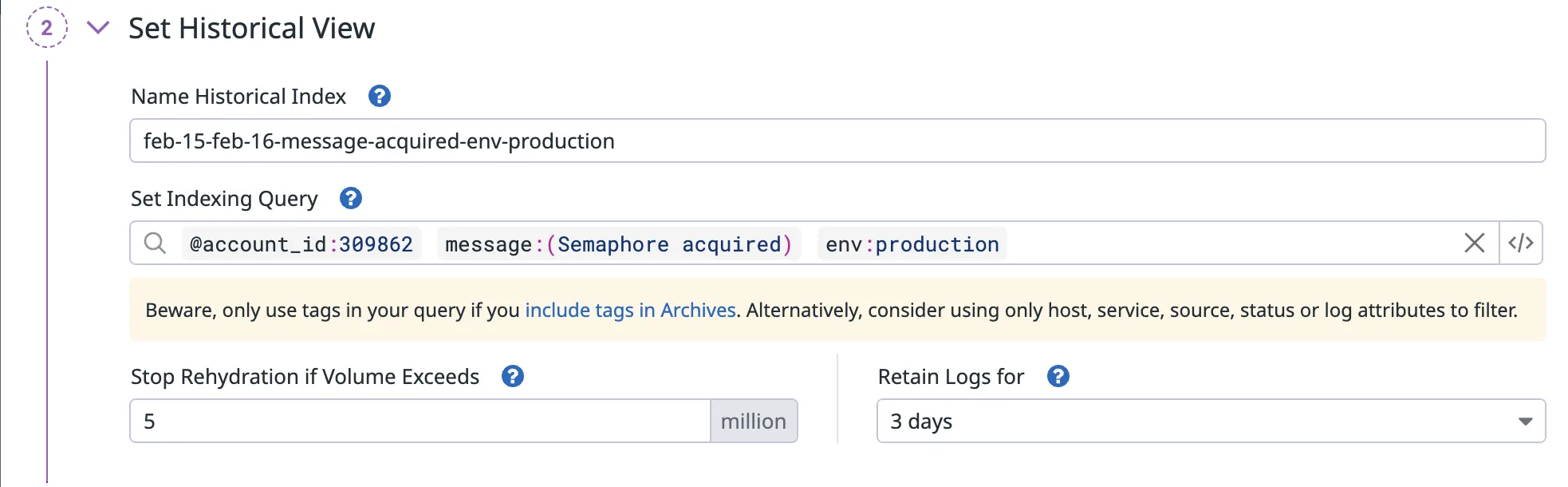
This query is good as it filters by a specific Account ID tag and message, meaning only the information you need will be retrieved which reduces costs. Similar to the above regarding the rehydration limit.
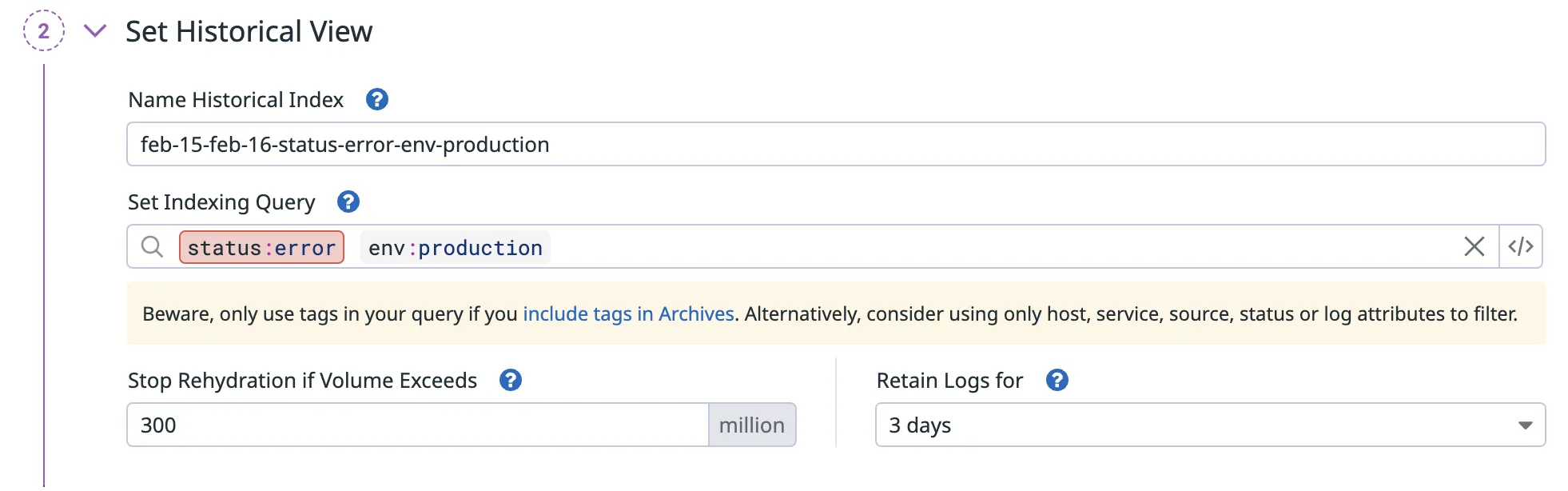
This query is bad as it filters by all errors which is not specific enough and will likely incur a large cost to retrieve. It also has a high rehydration limit which means it has a weak safety guard to protect costs.
Overall, having specific tags, a suitable rehydration limit and a low retention time are best practices for retrieving only the information you need and reducing costs of rehydration which is beneficial for us as a business.
- After setting up your historical view, click “Rehydrate from archive” in the bottom right to start the rehydration job.

- It will then take time to rehydrate the logs, which can range from 30mins - 3+ hours depending on the data range selected and the resultant archive size. You will receive an email from Datadog once complete.