
How to suggest an addition to the Pylon FAQ
Introduction
We have an FAQ in Pylon that contains answers to common questions that may come up when working with customers. There may be situations as a Support Engineer where you notice that the FAQ doesn’t contain information that you might expect to be there. In those cases, we have a workflow that you can use to suggest an addition to the FAQ.
Procedures
To suggest an addition to the FAQ, head to the #support-engineering channel in Slack. In the text field for the channel you will see a ”+” icon. Clicking that will open up a menu where you will see “Workflows”. 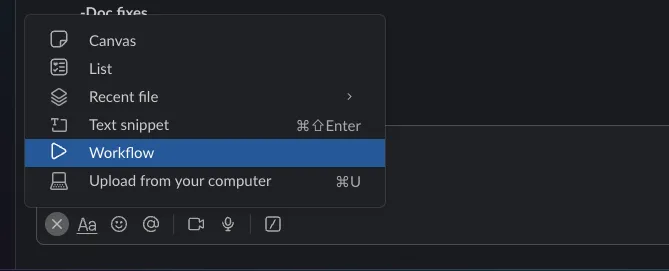
Clicking on Workflows will bring up a modal where you will look for “FAQ Suggestion”.
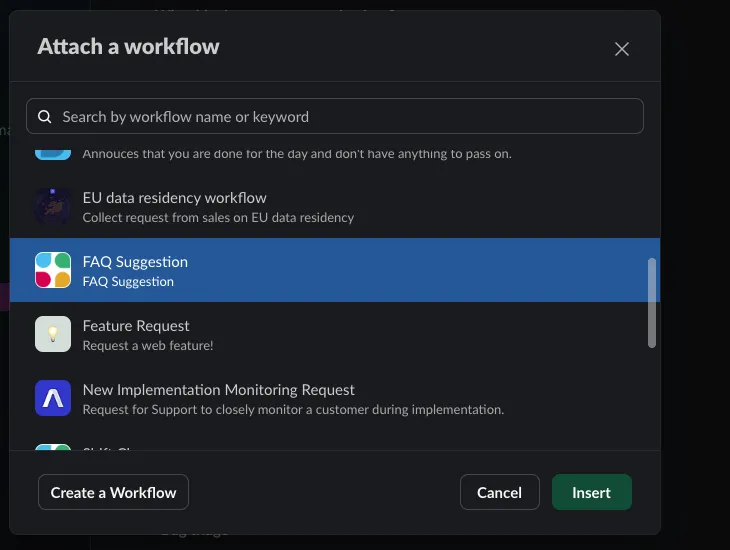
Clicking that will add a link to the text box.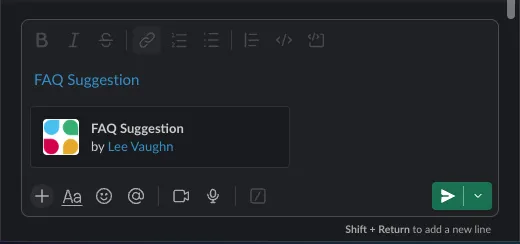
Once you click on that it will open a side panel in slack where it will give you the option to start the workflow.
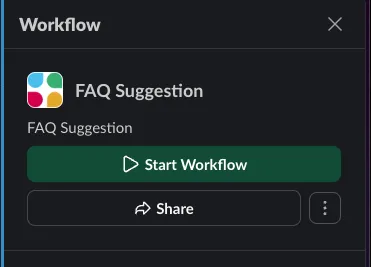
This will open a menu where you can select the channel you want this suggestion to appear in. You will want to select #support-engineering. 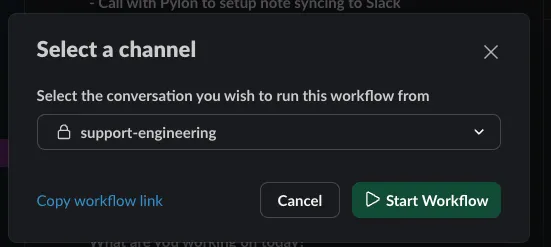
Then click on Start Workflow. This will open a form that you can fill out to suggest something that should be added to the FAQ.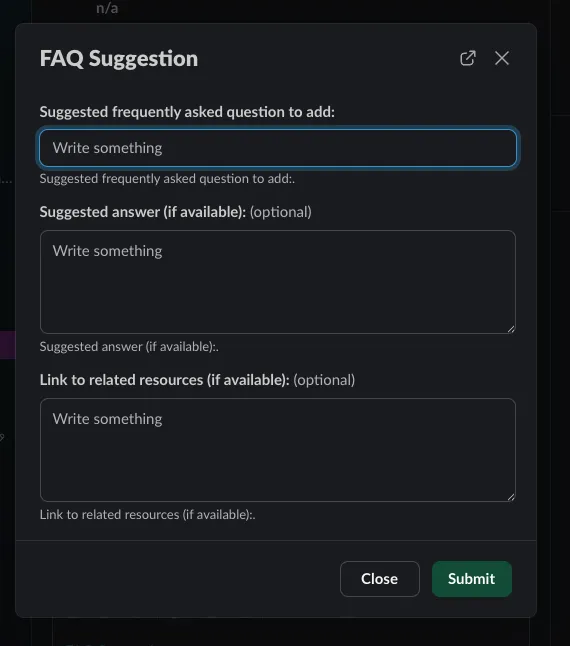
-
In the “Suggested frequently asked question to add:” field, enter the question that you think should be added to the FAQ.
-
In the Suggested answer (if available):” field, enter information related to answering the suggested question. This could be a fully drafted answer if you feel comfortable writing that up or it could just be basic information or bullet points. Note: this field is optional so if you do not have any information to share for a potential answer you can leave this field blank.
-
In the “Link to related resources (if available):” field, add links to any relevant documentation, Slack posts, web pages etc. that might be related to the question or answer. This field is also an option so you can leave it blank if there are no related resources.
-
Click the “Submit” button.
Once you click the “Submit” button a new post will appear in the #support-engineering channel showing your suggested question, which the team will review and add to the FAQ as needed.