
How to Add an Account to the Static IP List
Introduction
In our FAQ about the fixed IPs from which AssemblyAI sends webhook deliveries, we have an option where customers can request a static IP for retrieving audio requests. This playbook will show you how to handle these requests and successfully add a customer’s account to the static IP list.
Procedures
When a customer reaches out requesting a static IP, you will need to add their account ID to two places in the terraform repo:
-
First create a new branch within the terraform repo, which you can do directly in GitHub by clicking on the branch button that says “main” in the left hand panel.
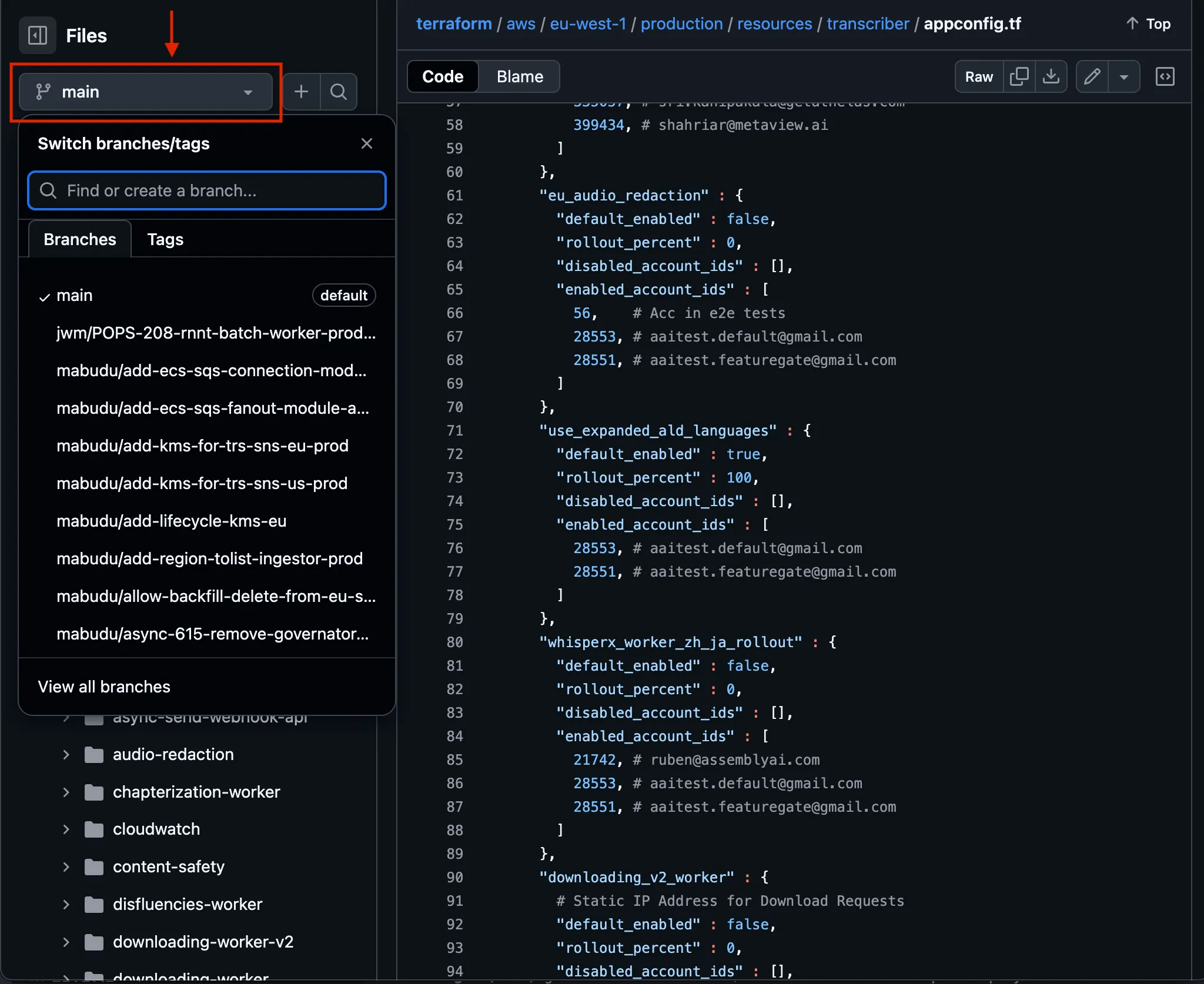
The branch name should follow this format:
<your-name>/prod_trans_ff_static_ip_<account_id>Example branch name:adinoto/prod_trans_ff_static_ip_525804 -
One you are in the new branch, you will need to add the customer’s account ID each of the two files that contain the IP lists linked above. You can do this by hitting the pencil edit icon in the upper right hand corner.
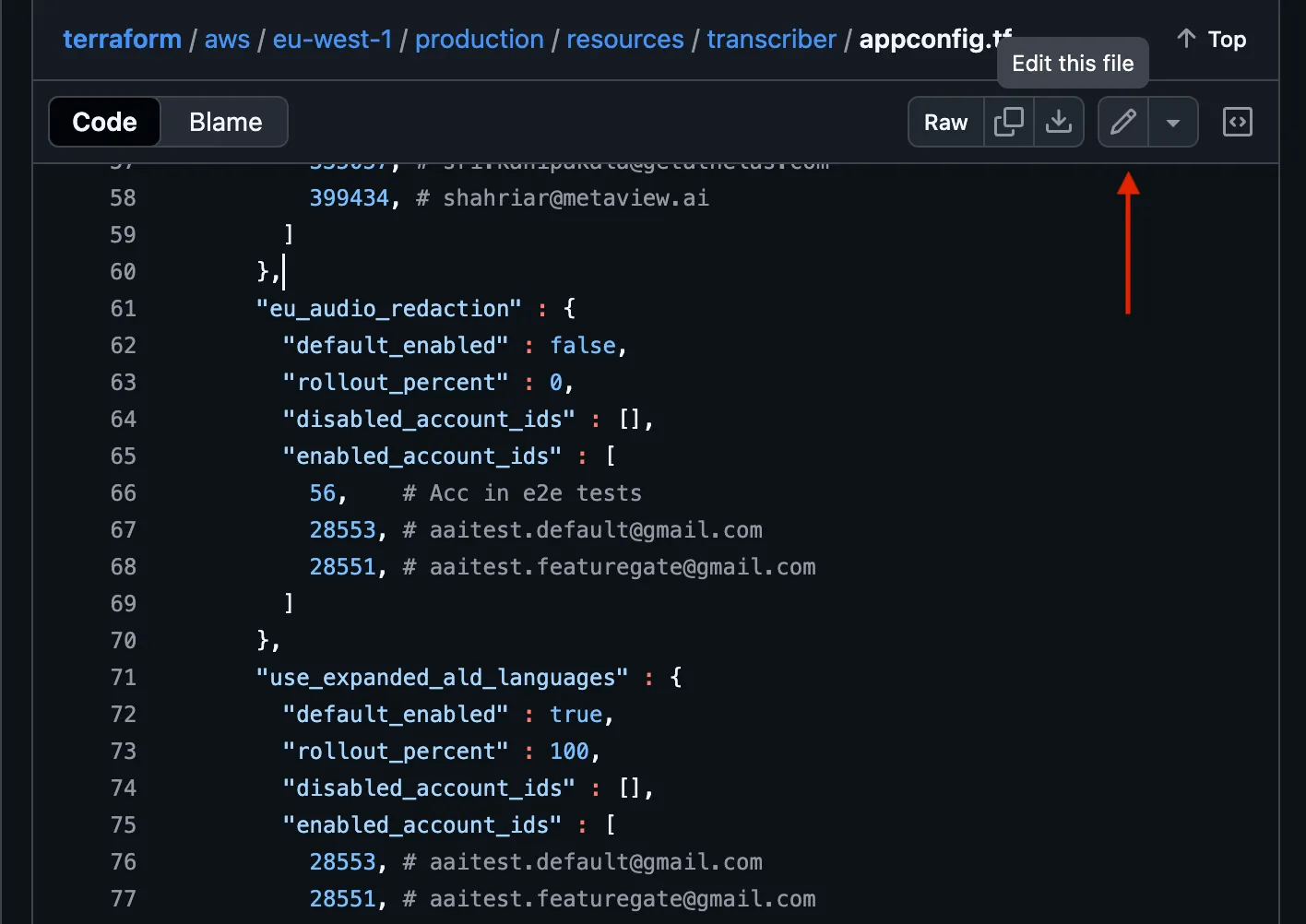
The IDs need to be added to the
enabled_account_idsindownloading_v2_worker. The format is<account_id>, # <account_email>.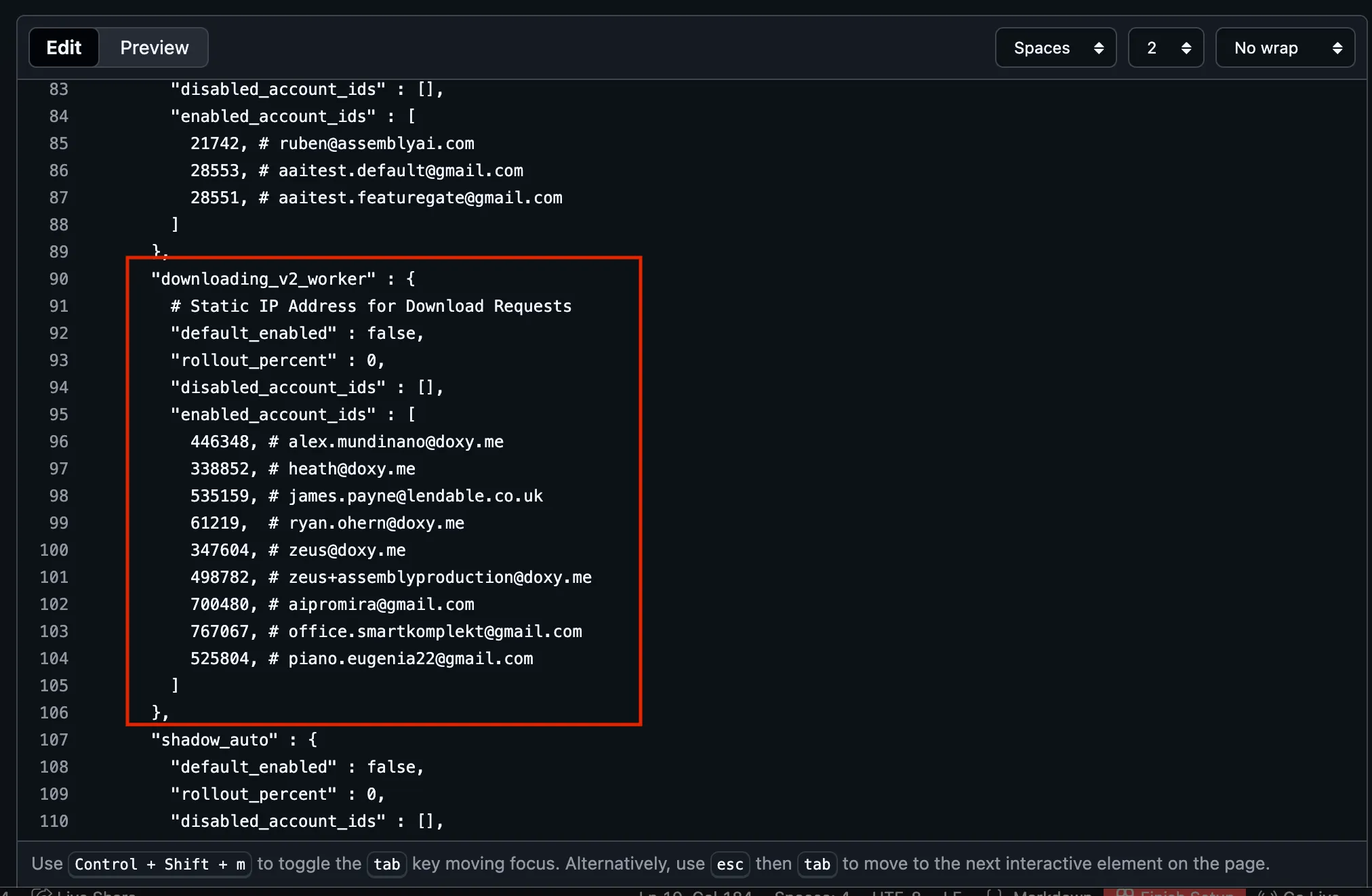
Make sure that all changes are commited to your new branch.
-
Once the ID has been added to both the EU and the US list, create a PR. The PR title should follow this format:
chore(prod/trans/ff): add <customer_email> (<customer_id) to static ip listExample PR title:chore(prod/trans/ff): add piano.eugenia22@gmail.com (525804) to static ip listPlease refer to this static IP PR if you would like a reference.
-
Once the PR is created, post a request for review in the #ask_conversational_intelligence slack channel.

-
Once the PR has been reviewed, squash and merge your changes and inform the customer that they have been added to the static IP list. The static IPs for each endpoint are:
- US
44.238.19.20 - EU
54.220.25.36
- US